Whenever using RE3DB, please cite the following paper:
Wonjae Hwang, Sunok Moon, Ki-Hong Jung, RE3DB: A Multi-Omics Phylogenomics Platform for Rice E3 Ubiquitin-Ligase-System Genes and Candidate F-Box Genes Associated with Pollen Germination, Rice Science, https://doi.org/10.1016/j.rsci.2026.06.002
Wonjae Hwang, Sunok Moon, Ki-Hong Jung, RE3DB: A Multi-Omics Phylogenomics Platform for Rice E3 Ubiquitin-Ligase-System Genes and Candidate F-Box Genes Associated with Pollen Germination, Rice Science, https://doi.org/10.1016/j.rsci.2026.06.002
Get started with RE3DB
RE3DB is a rice-focused E3 ubiquitin-ligase-system analytics web database for Oryza sativa.
Step-by-step Tutorial
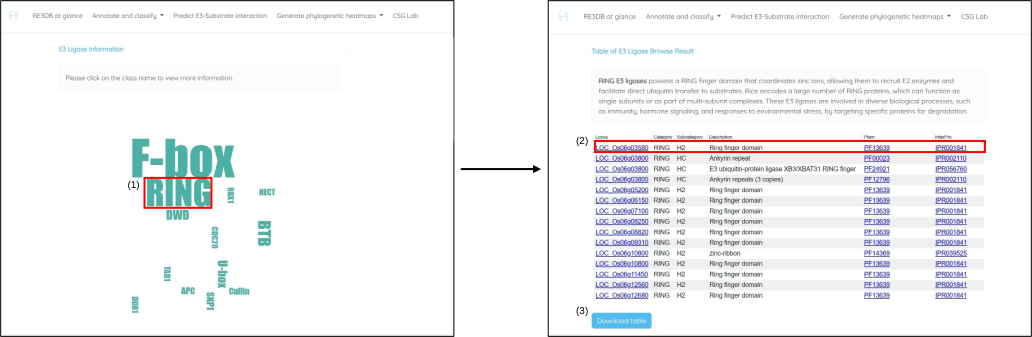
Example: classification and annotation module
This example shows how to browse an E3-system family, inspect gene-level annotations, follow external annotation links, and download the result table.
- Open the classification and annotation module and select an E3-system family from the interactive word cloud.
- Review the family-specific table, which includes the RGAP (MSU7) locus ID, E3 family, subfamily, Pfam-based description, Pfam entry, and InterPro entry.
- Click a hyperlinked locus ID to open the RGAP gene page, or click a Pfam or InterPro entry to view the corresponding domain annotation.
- In the example, OsBBI1 (BLAST AND BTH-INDUCED 1; LOC_Os06g03580) is highlighted with a red square.
- Use the sky-blue download button at the lower-left corner of the table to download the result as a CSV file.
RE3DB at a Glance
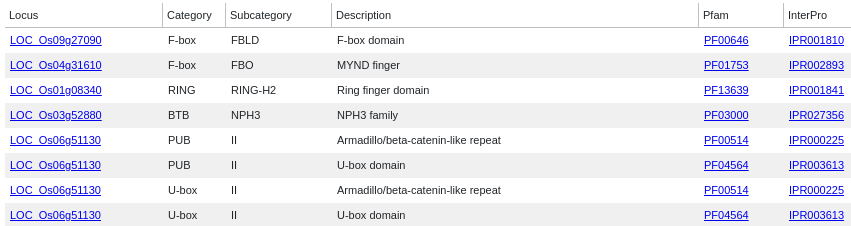
Search E3-system genes by locus ID

Browse the E3-system family word cloud
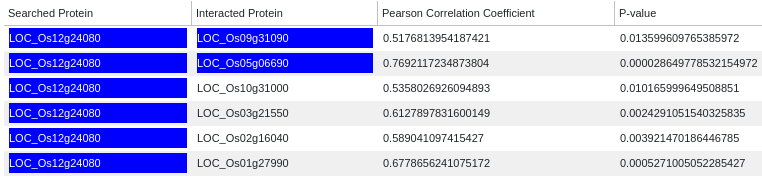
Search predicted E3-centered interactions
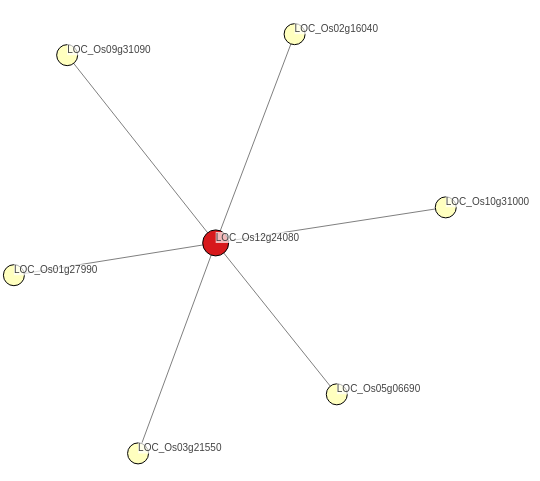
View an interactive E3-centered interaction network
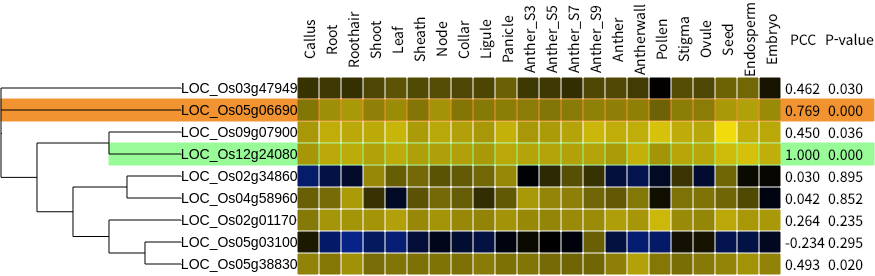
Generate an anatomy phylogenetic heatmap by locus ID
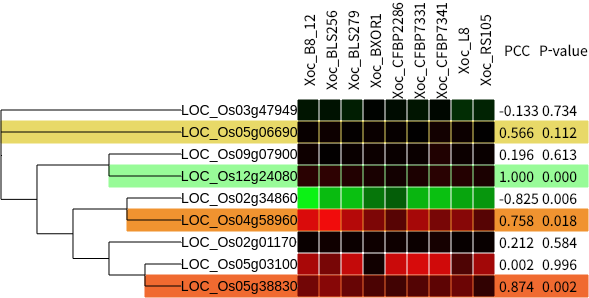
Generate biotic, abiotic, nutrient, or hormone phylogenetic heatmaps by locus ID
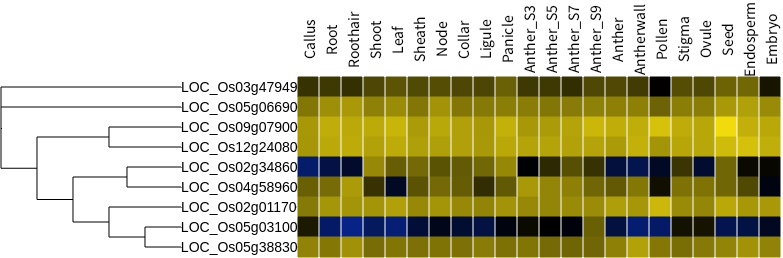
Browse anatomy phylogenetic heatmaps by E3-system family
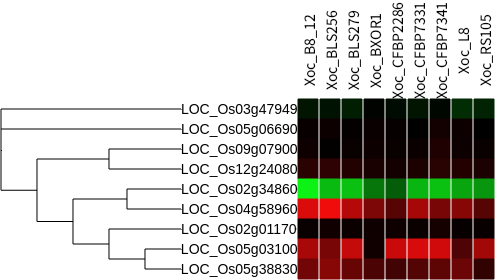
Browse biotic, abiotic, nutrient, or hormone phylogenetic heatmaps by family